Jellyfin vs Plex vs Emby for live TV and DVR: how they compare
Jellyfin, Plex and Emby compared for live TV and DVR: licensing, tuner and playlist support, guide data, transcoding and client apps.
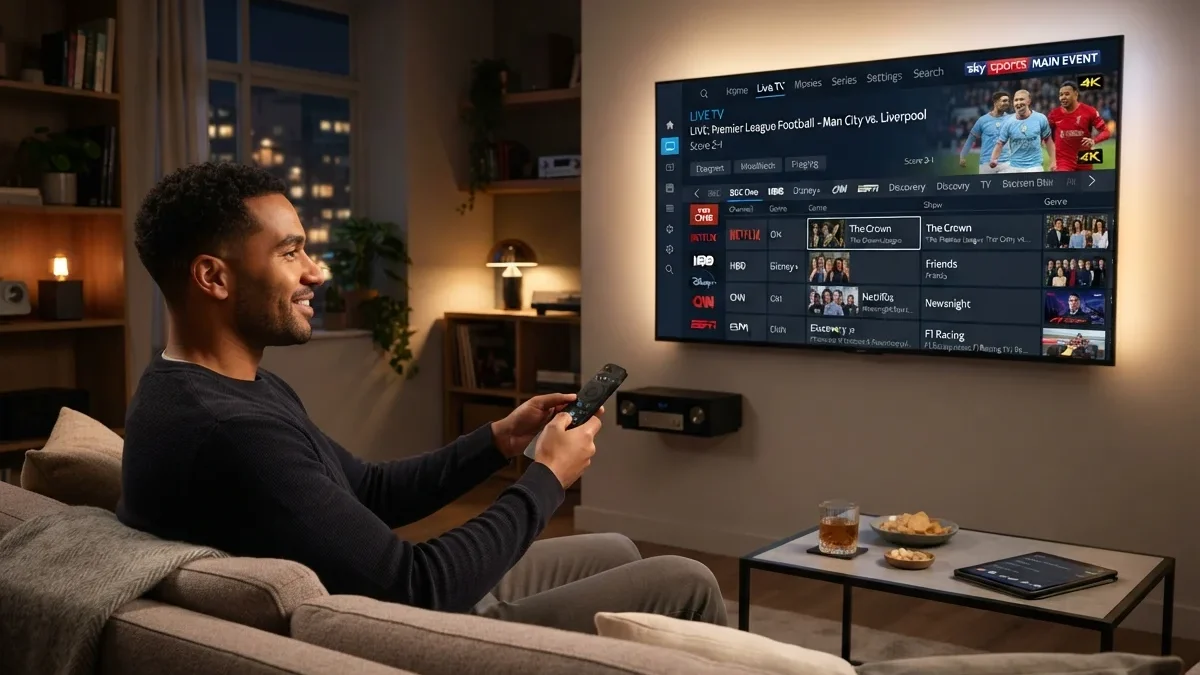
Home media servers have become a popular way to watch and record live TV. Paired with a network TV tuner and an antenna, or with a legitimate playlist source, they can provide a channel guide, recordings and playback on almost any screen in the house.
The three best-known options are Jellyfin, Plex and Emby. This comparison is based on each project's published documentation and licensing model, not on lab testing. Features and pricing change, so check the official links before you decide.
The short version
- Jellyfin: free and open source, with live TV and DVR included at no cost. Best if you value control and don't mind some setup.
- Plex: the most polished apps and widest device support. Live TV & DVR from your own tuner has historically required a paid Plex Pass. Plex also offers its own free ad-supported channels, which are separate from your tuner.
- Emby: sits between the two. Core features are free, and live TV/DVR is tied to its Emby Premiere subscription.
What a media server does for live TV
Before comparing products, it helps to know what a media server adds to a tuner:
- One guide for every screen. The server keeps the channel list and programme guide and shares them with apps on each device.
- Recordings. The server schedules and stores recordings, so they can be watched anywhere in the house.
- Format conversion. The server can convert streams that a device can't play natively, called transcoding.
- Access management. Household members get their own profiles, and in some products, parental controls.
Without a server, each app talks to the tuner directly. That works for live viewing but makes recordings and shared settings harder.
Comparison table
| Jellyfin | Plex | Emby | |
|---|---|---|---|
| Source code | Open source | Proprietary | Proprietary |
| Cost of live TV/DVR from your tuner | Free | Requires paid plan (check current terms) | Requires Emby Premiere (check current terms) |
| Tuner support | HDHomeRun and others | HDHomeRun and other supported tuners | HDHomeRun and others |
| M3U playlist sources | Yes | Limited/varies | Yes |
| XMLTV guide import | Yes | Varies by setup | Yes |
| Built-in guide data | Via providers or XMLTV | Provided by Plex in supported regions | Via providers or XMLTV |
| Accounts | Local | Requires a Plex account | Local, optional Emby Connect |
| Client apps | Good coverage, some community-made | Broadest coverage | Good coverage |
Table based on public documentation at the time of writing. Verify current features and pricing on each project's site.
Hardware you'll need
A typical setup includes:
- A server computer that stays on: a small PC, a mini PC, a NAS that supports the software, or an existing desktop
- Storage for recordings, ideally a separate drive
- A network tuner or a supported USB/PCIe tuner, plus an antenna. See network TV tuners explained
- A wired network connection for the server and tuner
Power consumption matters for a machine that runs all day. Low-power mini PCs and NAS devices are popular for that reason.
Things that matter more than the logo
Guide data
A DVR is only as good as its guide. Plex supplies guide data in supported regions. Jellyfin and Emby can use guide providers or an XMLTV file you supply. If you're outside the main supported markets, check guide availability first. See M3U playlists and XMLTV guides explained.
Transcoding hardware
Broadcast TV often arrives as MPEG-2 or H.264 at high bitrates. Watching it on phones, or away from home, may require transcoding: converting it in real time to a more efficient format. A server with hardware-accelerated transcoding, such as a modern Intel CPU with Quick Sync or a supported GPU, handles this much better than a low-power device using only software. Hardware transcoding may itself be a paid feature on some platforms.
Storage
Recorded HD TV takes a lot of space, often several gigabytes per hour depending on the channel. Plan for a dedicated drive and decide how long recordings should be kept.
Encrypted channels
In the US, some ATSC 3.0 channels are encrypted. Support in home-server software depends on certification and is still evolving. See our coverage of the FCC's NextGen TV proposal.
Remote access
All three products can, with configuration, let you watch from outside the home. Check:
- Whether remote access requires a subscription
- Your home upload speed, which limits remote quality
- Security: use the software's built-in secure remote access features rather than opening ports without protection, and keep the server updated
Privacy and accounts
Jellyfin runs entirely on your hardware with local accounts. Plex requires an account with Plex's service to use its apps. Emby works locally, with an optional connection service. If you prefer that viewing data stays at home, this difference may matter as much as any feature.
Typical setup steps (any of the three)
- Install the server software on the computer or NAS.
- Add the tuner in the live TV settings. Most products discover network tuners automatically.
- Configure guide data: choose a provider or supply an XMLTV file.
- Map channels to guide entries, if not done automatically.
- Choose a recordings folder and set default padding.
- Install client apps on your TVs and phones, and sign in.
- Create a test recording to confirm everything works.
Jellyfin, Plex or Emby: which to choose
- Choose Jellyfin if you want no subscriptions, local control and open-source software, and you're comfortable with some configuration.
- Choose Plex if household members want the slickest apps on every TV and you're happy to pay for live TV features.
- Choose Emby if you want a polished experience with local control and are willing to pay for Premiere.
Whichever you choose, use it with sources you're entitled to, such as over-the-air broadcasts from your own antenna. For other ways to record, see our overview of DVR options for live TV.
Questions readers ask
Do I need a powerful computer?
For live TV and recording without transcoding, a modest, low-power machine is usually enough. Transcoding several streams at once, especially from high-bitrate broadcasts to phones, benefits from a processor or GPU with hardware video encoding.
Can I use a USB tuner instead of a network tuner?
Yes, many servers support USB or internal tuners, but compatibility and drivers vary by operating system. A network tuner avoids driver issues because the server talks to it over the network.
Can I combine an antenna with lawful internet channels?
Some server software can combine tuner channels with M3U playlists from lawful sources into one guide. See M3U playlists and XMLTV guides explained. Make sure any playlist you add comes from a source you're entitled to use.
What if my favourite app isn't available on my TV?
Client app availability differs between products and TV platforms. Check the product's list of supported clients before committing. A streaming device with broad app support is a common workaround.
Can I move recordings between products?
Recordings are usually ordinary video files, so they can often be played or imported elsewhere, but metadata such as series information may not transfer. Plan for some manual work if you switch.
A worked example: one antenna, three TVs
Imagine a household with one antenna in the attic, a two-tuner network tuner and three TVs:
- The network tuner sits next to the router, connected by Ethernet and by coax to the attic antenna.
- A low-power mini PC runs the media server, also wired to the router, with an external drive for recordings.
- Each TV uses the server's app on its built-in platform or a streaming stick.
- The guide comes from the server's guide provider or an XMLTV source.
- Recordings are set for the evening news (keep the latest three) and two weekly series (keep unwatched episodes only).
With two tuners, two people can watch different live channels at once, or one can watch while one recording runs. If the family often records two programmes while someone watches live, a third tuner avoids conflicts. This setup costs nothing per month beyond optional software or guide subscriptions, and recordings belong to the household.
Keeping a home server healthy
- Install updates for the server software and operating system, especially if remote access is enabled
- Monitor storage so recordings don't fill the drive
- Back up configuration, including channel mappings, guide settings and recording rules
- Check recordings occasionally for errors that indicate antenna or storage problems
- Restart periodically if the server runs on a low-power device that accumulates memory use
Key takeaways
- Jellyfin is free and open source, with live TV and DVR at no cost.
- Plex has the most polished apps; its live TV and DVR features have historically required a paid plan.
- Emby sits between the two, with live TV tied to its Premiere subscription.
- Guide data, transcoding hardware and storage matter more than the brand.
- Check current pricing and features on each project's website before choosing.
Common problems
| Problem | Likely cause | Fix |
|---|---|---|
| Tuner not found | Server and tuner on different networks | Put both on the same wired network |
| Channels play on TV but not phone | Phone can't decode the broadcast format | Enable transcoding |
| Guide empty | Guide source not configured or not mapped | Configure guide data and map channels. See EPG troubleshooting |
| Recordings stutter | Weak signal or busy storage | Check antenna signal; use a dedicated drive |
| Remote viewing is poor | Limited home upload speed | Lower remote quality settings |